
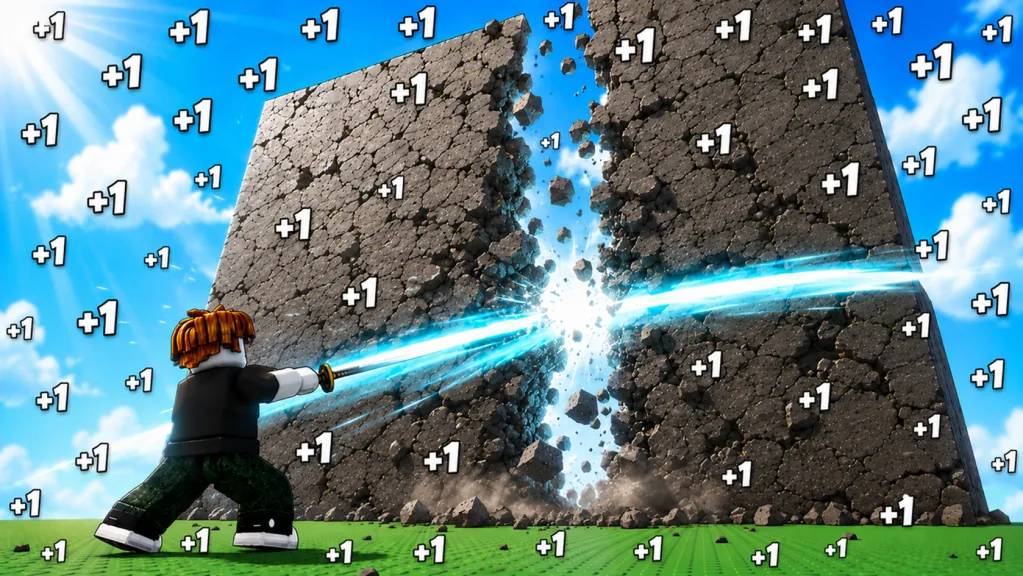
[W4!] confirms an update theme, not every World 4 detail
As of September 12, 2026, the official Roblox listing is titled [W4!] +1 Slash Per Click!. That confirms the live listing is promoting a World 4-themed update. It does not give you a safe unlock cost, stage list, Pet table, balance formula, or release changelog.
Before spending Wins or taking another Rebirth specifically for World 4, open the current Roblox game page, join the live experience, and inspect the world-selection interface. Build your target from the labels in that server.
The useful rule is simple: treat the title as a notification and the client as the route authority.
What is confirmed in the current listing
The game’s durable core loop remains clearly described:
- Slashes release shockwaves and generate Power.
- Walls award Wins when broken.
- Better Slashes can be purchased.
- Auras provide multipliers.
- Leaderboards are a long-term objective.
The [W4!] prefix sits above that same description. It announces the update theme without documenting what changed inside each system.
The game is categorized as a Roblox Incremental Simulator, so World 4 should be approached as another progression scale: stronger requirements, another wall-efficiency test, and new upgrade comparisons. Do not convert that expectation into invented stats.
What to verify before calling a detail “World 4”
| Detail | Live check | Why it matters |
|---|---|---|
| World roster | Open world selection or travel UI | Confirms which Worlds are currently accessible |
| World 4 name | Read the destination label | Prevents using a community nickname as an official name |
| Unlock requirement | Read every gate line | Determines the correct currency and progression target |
| Stage roster | Inspect walls after entry | Prevents stale health and reward tables |
| New Slashes or Auras | Compare shop entries | Identifies real additions instead of assumed upgrades |
| New Pets | Read source and stat cards | Separates new content from older inventory |
| Rebirth changes | Open the current Rebirth panel | Catches changed requirements or multipliers |
| Release details | Check an official announcement in the live listing or creator channel | Avoids assigning an unsupported launch time |
If a detail does not have a current label, do not build a numeric guide around it.
Prepare for World 4 without guessing the gate
You can make progress before knowing every unlock number. Improve the parts of your build that support every World:
- Increase practical Power gain. Measure wall cycles rather than chasing a decorative total.
- Farm efficient Wins. Use the strongest wall that breaks quickly, even if it is not the furthest target.
- Buy a meaningful Slash jump. Skip intermediate purchases that do not change your wall speed.
- Check Aura and Pet stats. Use the displayed multipliers and equipped cards in your build.
- Evaluate Rebirth. Reset when its shown bonus shortens the route to the current gate.
This preparation remains valuable whether World 4 asks for Wins, levels, Rebirths, stage completion, or a combination. Once the live gate is visible, redirect the loop to its exact requirement.
Use a clean first-entry test
When you unlock the new region, resist the urge to push every wall immediately.
Find the return control
Locate the portal, teleport, or world-selection control before farming. Earlier Worlds can still contain your best short-term Wins source.
Benchmark the opening wall
Use a consistent attack interval and count the cycles needed for one break. Compare the result with your previous farm. Stay only if the new reward compensates for the longer fight.
Inspect the new shops
Read Slash, Aura, Pet, and other purchase labels before spending. A high cost does not automatically mean the item solves your current bottleneck.
Recheck Rebirth
World-scale progression can change the value of a reset. Compare the live Rebirth bonus with the time required for the next new-world upgrade.
Avoid false update claims
Do not assume that the World 4-themed title proves four fully playable Worlds, a particular World 4 name, or one specific release date. Do not copy a wall total or unlock requirement from a thumbnail. Do not describe every item visible in a creator video as new unless the current game labels it that way.
For a player, the best update page is not the one with the most numbers. It is the one that tells you exactly where to confirm the numbers before committing your time.
What to recheck after the next title change
When [W4!] changes to another prefix, inspect:
- available Worlds and destination names;
- every world gate;
- wall order and Win rewards;
- Slash and Aura shop entries;
- Pet sources, rarity cards, and equipped stats;
- Rebirth requirements and reset warning;
- any official description or group-reward change.
That quick pass keeps your progression route aligned with the build you are actually playing.
FAQ
Is World 4 confirmed in +1 Slash Per Click!?
The official Roblox title uses [W4!] as of September 12, 2026, confirming a World 4-themed update label. Check the live world interface for playable content and access details.
What is the World 4 unlock requirement?
Read the gate in your current server. The title and public description do not provide a stable unlock number or full gate formula.
Did the update add new Pets or Slashes?
Inspect the current World 4 purchase points and compare their labels with your inventory. Do not treat an unlabeled screenshot or old video item as a confirmed addition.
Should I Rebirth before entering World 4?
Rebirth when the live bonus will shorten the remaining gate grind and the replay. Keep the current run when it is still buying major upgrades quickly.
Where should I check for future update changes?
Start with the official Roblox listing and the live game’s world, shop, Pet, and Rebirth interfaces. Use creator announcements only when they are clearly linked from an official channel.